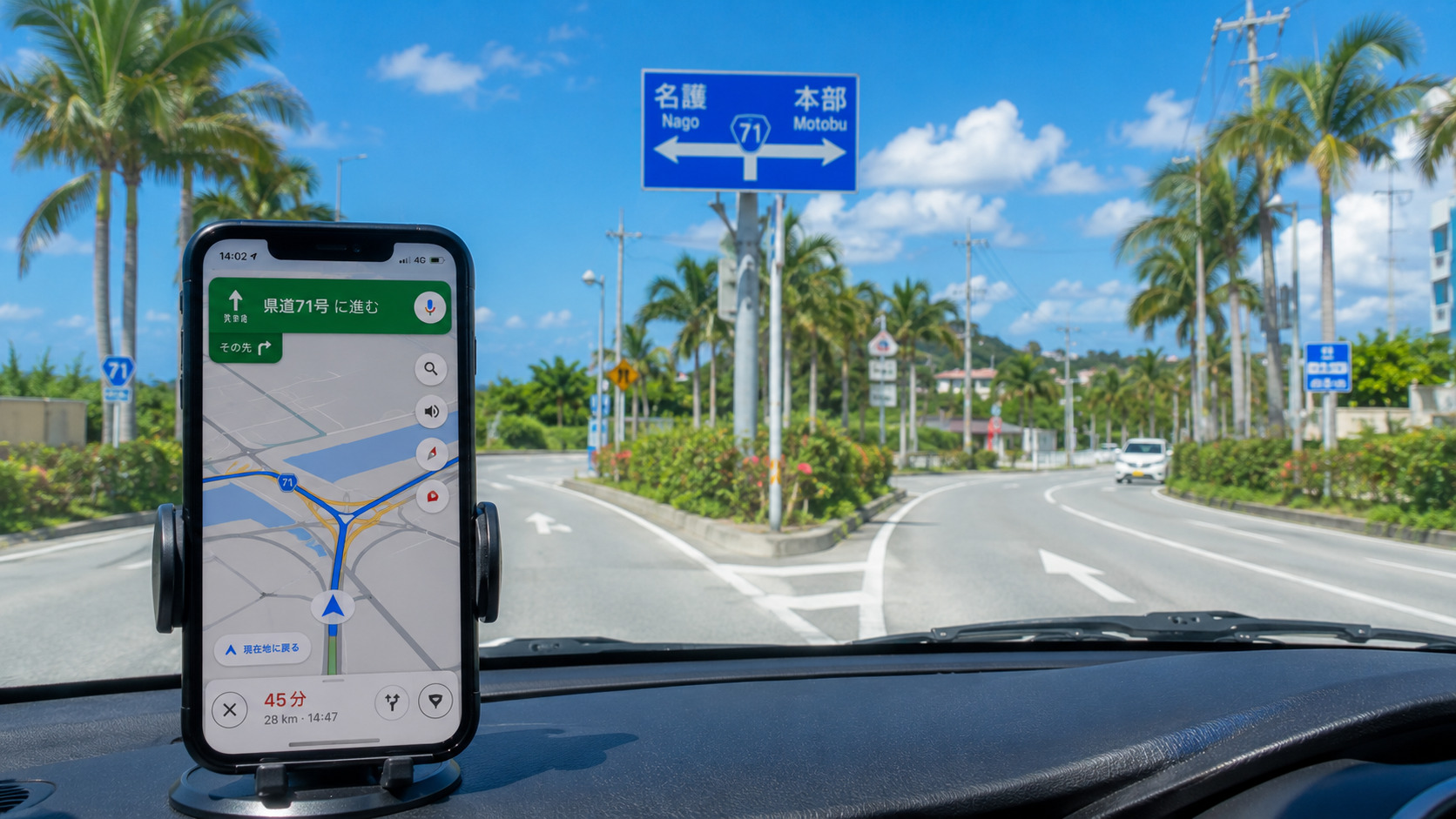
Google Maps is very useful. But in Okinawa, it can sometimes feel confusing or slightly wrong.
This is not your fault. And Google Maps is not wrong. Okinawa simply has some unique map conditions.
This guide explains why it happens and what you can do.
- 1. Weak Signal Can Make the Map Freeze
- 2. Many Roads Look Similar, So Turns Feel Confusing
- ⚠ Bus Lanes on Route 58 (Important)
- 3. New Roads Are Added Often
- 4. Large Facilities Have Complex Parking Routes
- 5. Google Maps May Choose Narrow Residential Backstreets
- 6. Large Properties Can Make Entrances Hard to Find
- 7. Miles and Kilometers Can Cause Confusion
- 8. Offline Maps Help More Than You Expect
- 9. Google Maps + Car Navigation = Best Combination
- 10. A Wrong Turn Is Usually Not a Problem
- 11. What to Do When Google Maps Feels Wrong
- 12. Summary: Okinawa Is Unique, Not Your Mistake
- 🌿 Quiet Tip
- Related Articles
1. Weak Signal Can Make the Map Freeze
Conclusion: Google Maps may stop or update slowly.
Reason: Some areas have weak mobile signal.
Detail: This happens on long bridges, in Yanbaru (the northern forest area), and on open coastal roads.
Action: Move to an open area and wait a moment.
2. Many Roads Look Similar, So Turns Feel Confusing
Conclusion: Okinawa roads look very similar.
Reason: There are many traffic lights and similar intersections. Left‑side driving also adds confusion.
Detail: Google Maps may announce turns a little late.
Action: Check the next turn early.
⚠ Bus Lanes on Route 58 (Important)
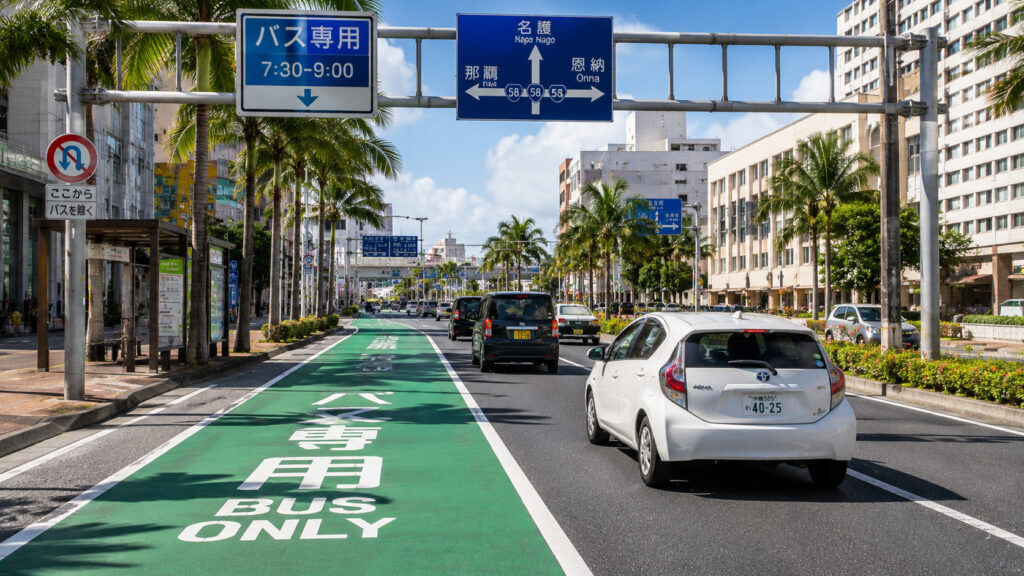
Conclusion: Some lanes become Bus Only during rush hours.
Reason: Google Maps may tell you to stay in the left lane, but you cannot use it during these times.
Detail: This mainly affects Route 58 in southern and central Okinawa (Naha → Urasoe → Ginowan).
Action: Follow the road signs.
3. New Roads Are Added Often
Conclusion: Google Maps may not show the newest roads.
Reason: Okinawa builds new roads quickly.
Detail: This happens in northern bypass areas and resort zones.
Action: If the route looks strange, follow the road signs.
4. Large Facilities Have Complex Parking Routes
Conclusion: Google Maps is not perfect inside big properties.
Reason: Large places have many entrances and one‑way roads.
Detail: Examples include AEON Mall Okinawa Rycom, DFS, large resorts, and Churaumi Aquarium.
Action: Follow the parking signs.
5. Google Maps May Choose Narrow Residential Backstreets
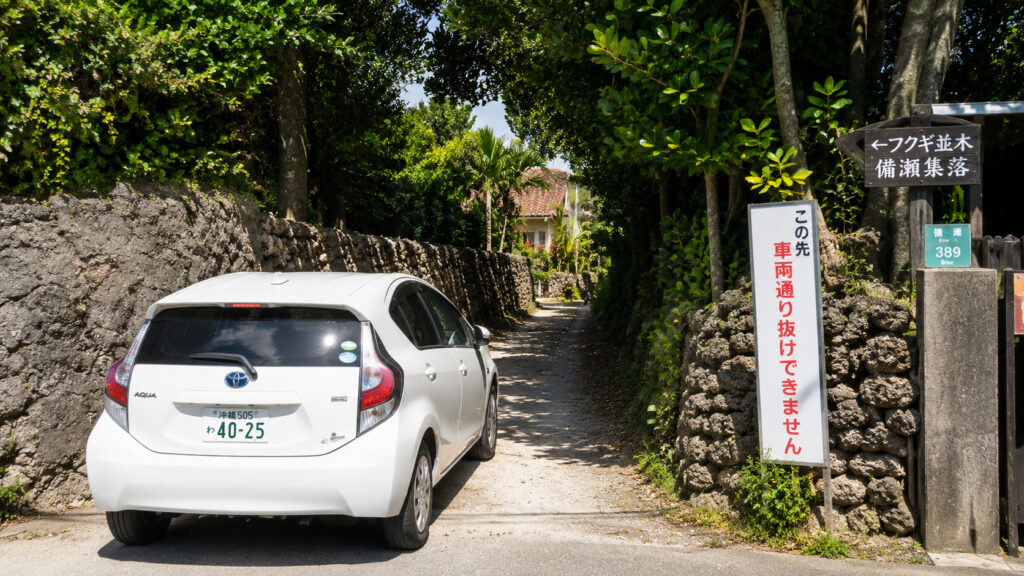
Conclusion: Google Maps often picks the shortest route.
Reason: Short routes in Okinawa may be very narrow.
Detail: This happens in Nago and village areas in Onna.
Action: Turn around if the road feels too narrow.
6. Large Properties Can Make Entrances Hard to Find
Conclusion: Some places make the route feel wrong.
Reason: Large properties have wide land areas and only a few entrances.
Detail: This includes resorts, golf courses, shopping areas, and military facilities. The entrance may be far from the map point.
Action: Return to a main road if you cannot find the entrance.
7. Miles and Kilometers Can Cause Confusion
Conclusion: Distance units may not match.
Reason: Google Maps might say “In 500 feet, turn left,” but the Japanese road sign will say “200m.”
Detail: This can confuse your sense of distance.
Action: Look at the map layout early.
8. Offline Maps Help More Than You Expect
Conclusion: Offline maps work even with weak signal.
Reason: Some areas have unstable mobile data.
Detail: Download maps for Naha, Onna, Nago, Churaumi, and Kouri Island.
Action: Save a screenshot of your hotel address.
9. Google Maps + Car Navigation = Best Combination
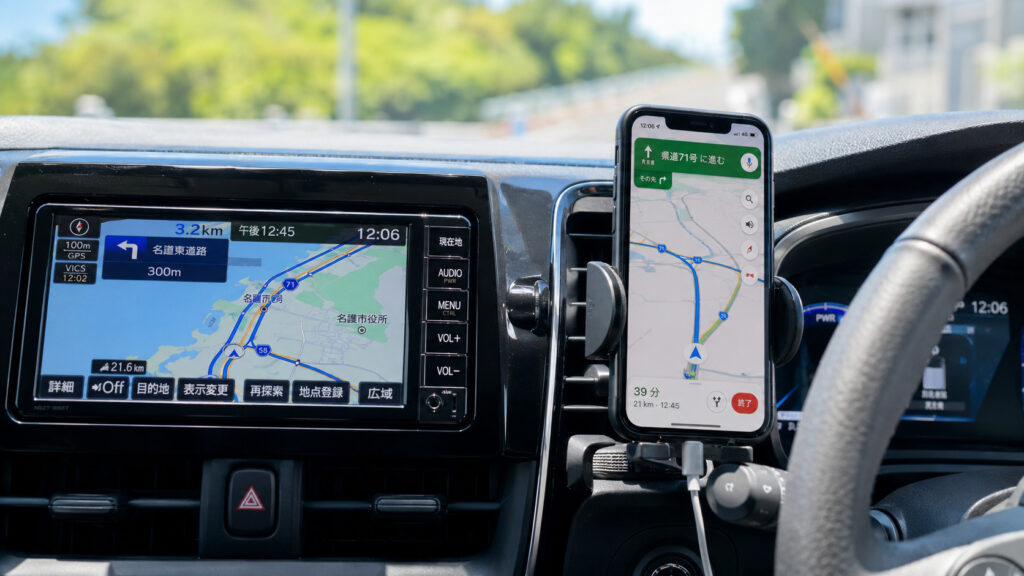
Conclusion: Do not rely on only one system.
Reason: Google Maps is great for real‑time traffic and new places. Car navigation can be easier to follow near complex entrances and parking areas.
Detail: Sometimes Google Maps is newer. Sometimes the car navigation is newer.
Action: Use both systems together.
10. A Wrong Turn Is Usually Not a Problem
Conclusion: Do not worry if you miss a turn.
Reason: Okinawa roads are not very complex.
Detail: Main roads like Route 58 and Route 330 connect most major areas of Okinawa.
Action: Simply check the next turn and continue safely.
11. What to Do When Google Maps Feels Wrong
- Stop in a safe place
- Zoom out
- Check the next turn
- Follow road signs
- Ask a local (Okinawa people are kind)
12. Summary: Okinawa Is Unique, Not Your Mistake
Google Maps may feel confusing because of:
- Weak signal
- Similar roads
- New roads
- Narrow residential backstreets
- Large properties
- Mile/km differences
But with calm driving and simple habits, you can enjoy a safe and relaxed trip in Okinawa.
🌿 Quiet Tip
Slow down, breathe, and check the next turn.
There is usually no need to rush in Okinawa.


コメント