
Many travelers think Okinawa has strong signal everywhere.
But signal in northern Okinawa is not always stable.
This guide explains why the signal becomes weak and what simple steps help you stay relaxed during your trip.
1. Coverage Maps Are Not Perfect, but They Help
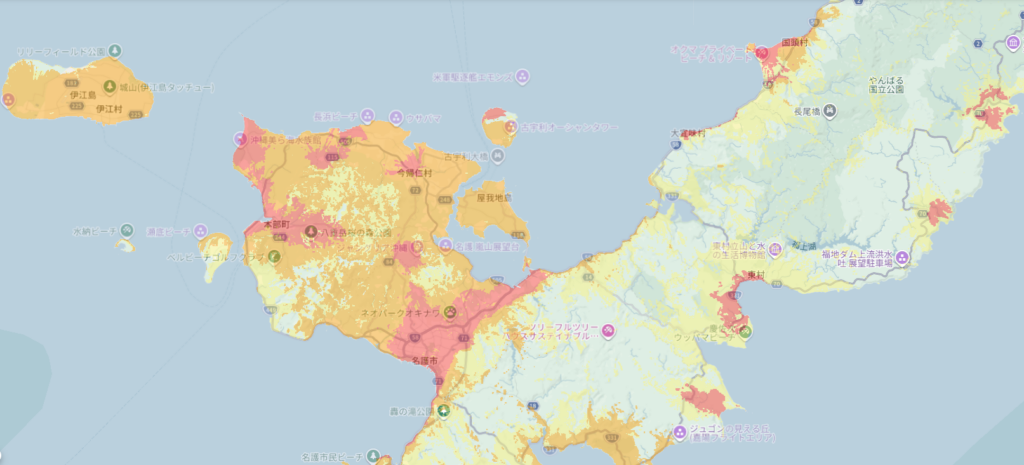
Coverage maps show where mobile signal should work. Colored areas mean “signal available,” and lighter areas mean “signal may be weak or unstable.”
When you look at the map, you will notice fewer colored areas in northern Okinawa, especially above Nago City.
This does not mean your phone will stop working. However, signal can become weaker on mountain roads, remote beaches, and in less populated areas.
Coverage maps are not exact, but they are helpful for understanding where signal may be less reliable.
💡 Travel Tip If you plan to visit places such as Motobu, Nakijin, Kouri Island, or the Yanbaru area, checking the coverage map before your trip can help you avoid surprises.
Many travelers stay in cities and tourist areas where signal is usually stable. Coverage maps become more useful when you explore the quieter parts of Okinawa.
2. Places Where Signal Often Becomes Weak
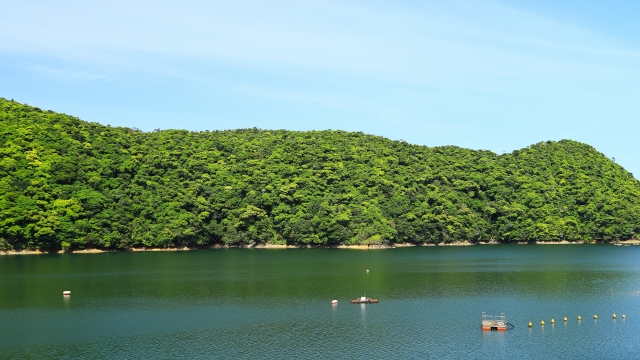
Some areas in northern Okinawa often lose signal because of mountains, trees, and fewer base stations.
- Yanbaru mountain roads Deep trees and valleys block the signal.
- Before the Kouri Island bridge Mobile signal may become unstable in some coastal areas.
- Iejima port area The signal becomes weak when many people gather.
- Coastal roads (especially in the evening) Mobile signal may become unstable in some areas.
- Northern resort hotels Many hotels are surrounded by nature. Thick concrete walls also block the signal. In some rooms, you might only see one bar of signal, and videos or photo uploads may slow down.
When the signal becomes weak:
- Google Maps stops
- Translation apps do not work
- You cannot search for shops
- You cannot contact your hotel (Tip: If you want to request rental items before you lose signal, check our guide on hotel messaging and Japanese appliances.)
- You cannot check bus times
Even small problems can feel stressful when you are in a new place. These small worries can slowly make your trip tiring.
3. Simple Preparation That Makes Your Trip Easier

A little preparation makes your trip much more comfortable.
● Download Offline Maps
This is the most helpful step.
- Open Google Maps and search for “Okinawa”
- Tap your profile icon
- Select Offline maps → Select your own map
- Save the northern area
You can use the map even with no signal.
● Check Your Destinations Before You Go
Look at the route and parking areas in advance. This helps you avoid last‑minute searching during your trip.
● Check Hotel Wi‑Fi
Many northern hotels have weak mobile signal. Thick walls and location make it unstable.
A stable connection also helps you relax after a long drive. This helps you feel more relaxed during your stay.
4. Summary: Do Not Rely on Perfect Signal in Northern Okinawa

Signal in northern Okinawa is not always stable. But you do not need perfect conditions.
A little preparation helps you stay calm during your trip.
Coverage maps are not exact, but they help you understand which areas may have weak signal.
A few small preparations can make your trip feel much calmer.
Related Guides
👉 How to Get Internet in Okinawa (WiFi & SIM Guide for Travelers)
👉 Okinawa Travel Guide for First-Time Visitors
👉 Renting a Car in Okinawa: Complete Guide for First-Time Travelers
👉 Do You Need a Car in Okinawa? (A Local’s Honest Advice)
👉 Okinawa Travel Time Guide: Do Not Plan by Distance Alone


コメント